
Donec efficitur, ligula ut lacinia
viverra, lorem lacus.
Donec efficitur, ligula ut lacinia
viverra, lorem lacus.
Long exposure photography is one of those techniques where the gap between knowing the theory and getting a usable shot is embarrassingly wide. You set the camera on a tripod, dial in 10 seconds, come home, and the image is either white soup or a blurry mess. This guide closes that gap — from choosing the right gear to dialing in settings for daytime long exposure shots in 2026, when mirrorless cameras have changed several assumptions that used to be gospel.
Source: Unsplash
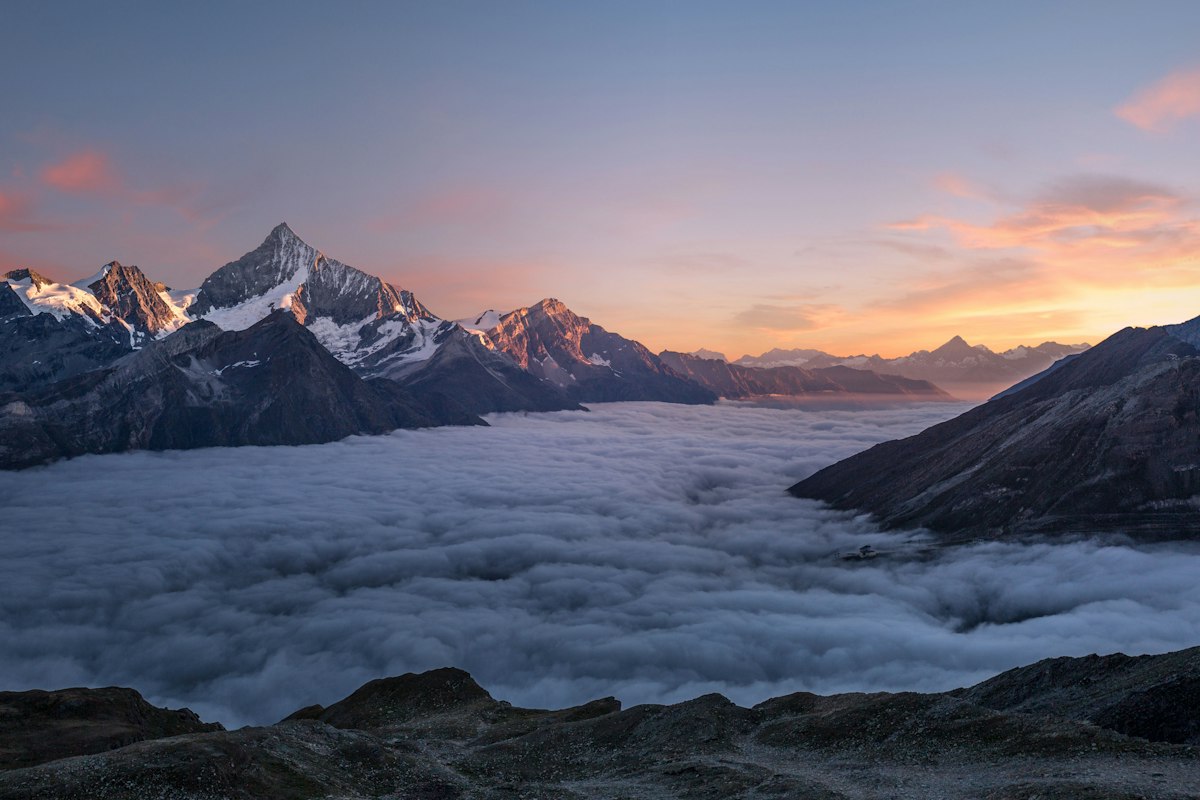
Long exposure in photography means keeping the shutter open long enough to record motion — not freeze it. Technically, anything above 1/30s starts to show motion blur on moving subjects. In practice, the interesting stuff happens from 1 second upward: water turns silky, car headlights become light trails, clouds streak across the sky like brushstrokes, and crowds disappear entirely if they move through the frame during a 30-second exposure.
The defining tension: the sensor needs more light to stay properly exposed, but more time means more motion. Every decision in long exposure photography — aperture, ISO, ND filter strength — is about managing that tension.
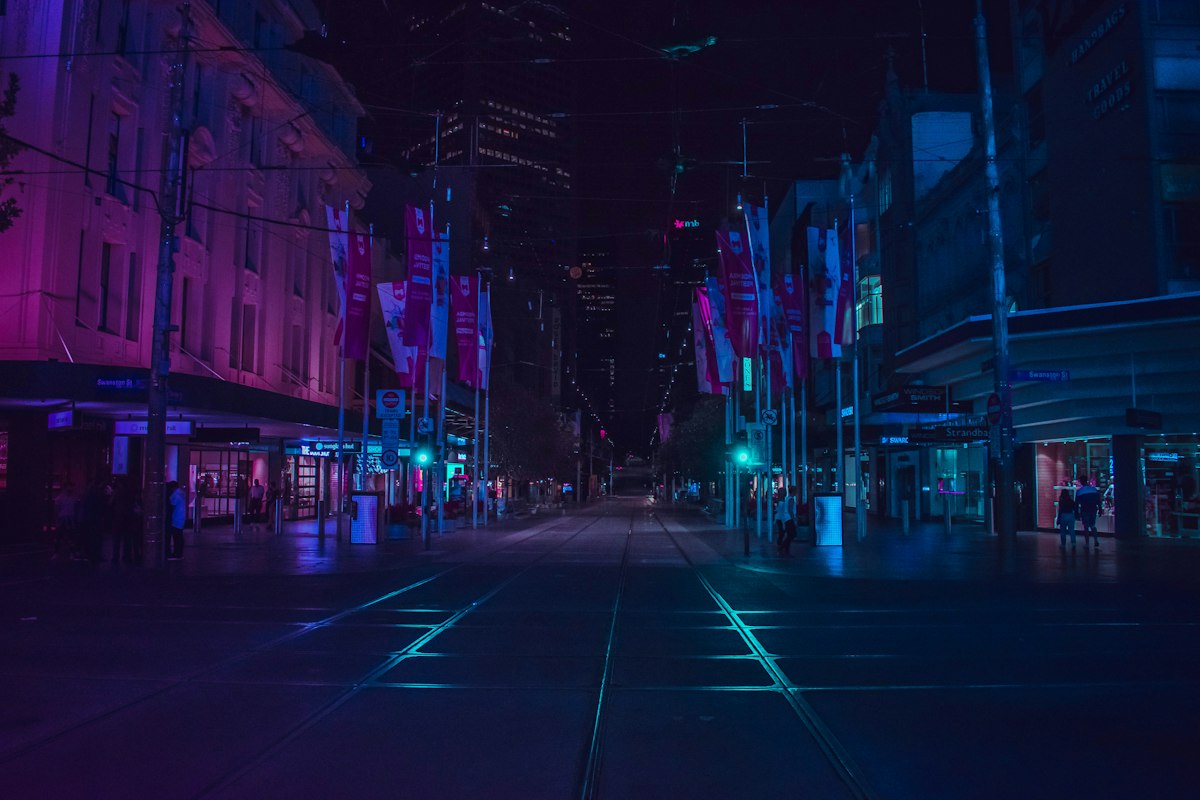
Urban night scenes are forgiving for beginners — there’s enough ambient light to expose correctly without ultra-long shutter speeds, and the city itself provides the light painting. A 15–30 second exposure at f/8, ISO 400 covers most city night situations without stacking multiple frames.
The sweet spot is usually 1–4 seconds. Go longer and the water loses all texture — it looks like white cotton. Go shorter and it just looks like a slightly blurry fast photo. Shoot during the golden hour or on overcast days; direct sunlight with a waterfall forces you into extreme ND territory.
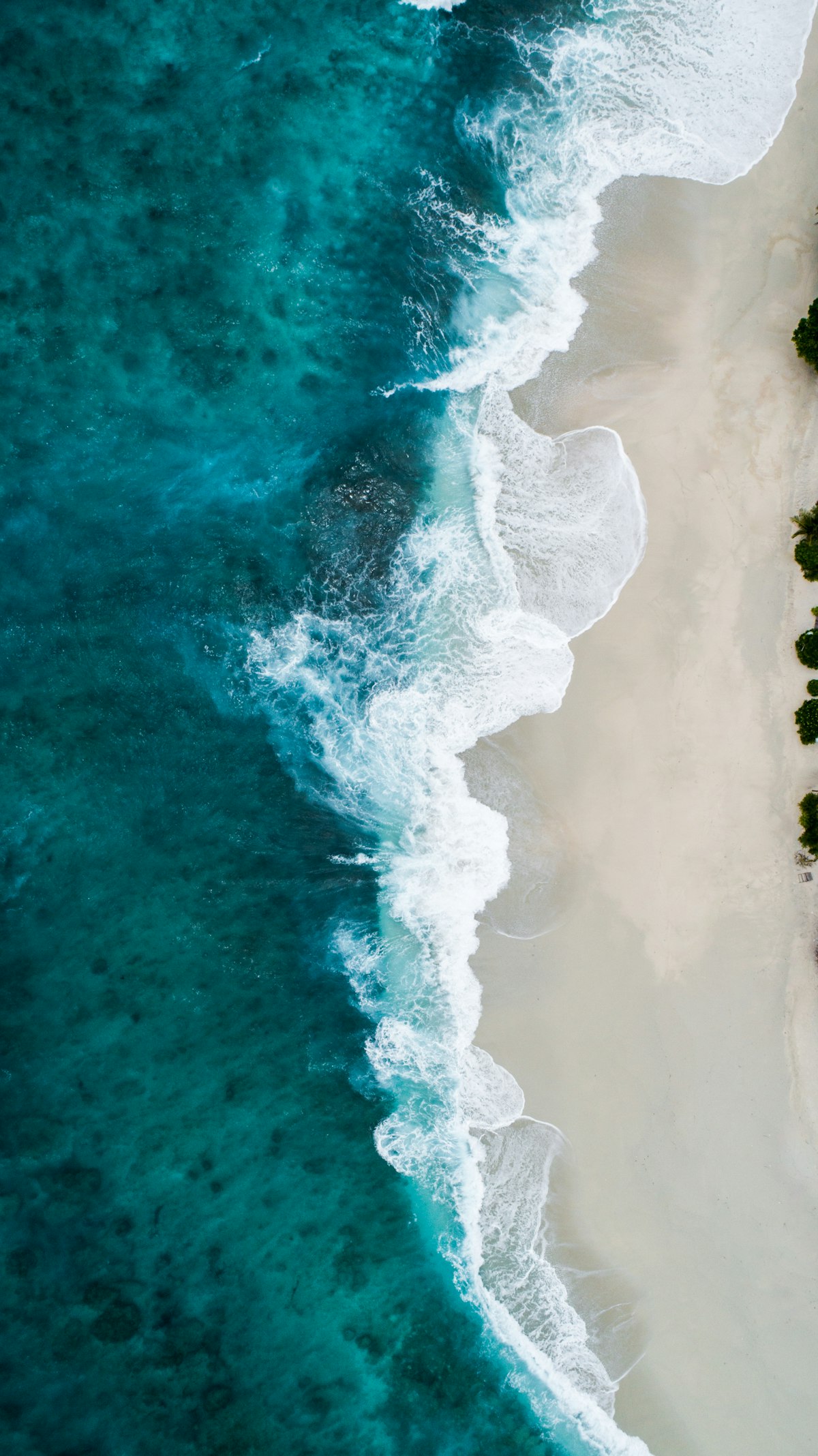
Seascapes reward patience. A 20–60 second exposure on a rocky coast creates that misty foreground effect that makes the rocks look like they’re floating. The ocean has to be active — calm water on a long exposure just produces a gray mirror, which is either great or terrible depending on what you want.
Source: Unsplash
Capturing light trails for dramatic cityscapes requires 10–30 seconds during evening blue hour — not full dark. The blue sky balances the orange streetlights for a more natural color. If you shoot too late, the sky goes black and the scene flattens.
This is where bulb mode becomes necessary. Single exposures of 20–30 minutes create curved star trails. Alternatively, shoot 30-second frames and stack them in post — you get the same result with far less noise and no battery drain. For sharp stars without trails, use the 500 rule: divide 500 by your focal length. With a 24mm lens, maximum shutter speed before stars trail = 500 ÷ 24 ≈ 20 seconds.
This is daytime long exposure at its best. A 10-stop ND filter turns a 1/250s correct exposure into a 4-second exposure. In that 4 seconds, fast-moving clouds drift across the sky, and the resulting streak tells the whole weather story in one frame.
Any camera with manual mode works. That said, modern mirrorless cameras — Sony A7 series, Fujifilm X-T5, Nikon Z6 III — have a meaningful advantage: the electronic shutter eliminates all mechanical vibration, which matters on exposures under 2 seconds where mirror slap used to be a real problem. If you’re still shooting DSLR, use mirror lock-up. Both Nikon vs Canon cameras offer competitive tools for this work.
Wide angles dominate long exposure work — they exaggerate motion, show more sky, and have more depth of field at a given aperture. A 16–35mm or 14–24mm lens covers 90% of situations. Primes at f/2.8 or wider are useful for astrophotography. Stabilization doesn’t help at shutter speeds below 1 second (tripod takes over), but it’s useful for handheld scouting shots. Also check what a lens hood does — it matters more for long exposures than most people realize, since a stray reflection off the front element during a 30-second exposure can ruin the whole shot.
A flimsy tripod is worse than no tripod — it creates a consistent low-frequency vibration that produces images that look almost sharp but aren’t. Carbon fiber legs with a ball head at ~1.5 kg carry weight are the minimum for this kind of work. Set up on grass or sand: press down on the legs to anchor them. On pavement, extend the legs only as much as needed — maximum extension reduces rigidity by 30–40%.
Neutral density filters act like sunglasses for your camera — they reduce the amount of light entering the lens without affecting color. Here’s the practical breakdown:
Quality matters more here than with other filters. A cheap 10-stop filter introduces a strong color cast — usually heavy magenta or green — that’s tedious to correct in post. Lee, Kase, and Haida make reliable options at reasonable prices.

Source: Unsplash
Visit the location before the shoot — ideally 30 minutes before the light you’re after. Check where the sun will be, what will be moving, and where you’ll place the tripod. Long exposure works best when there’s a strong static element anchoring the frame (rocks, bridge, building) and an obvious moving element (water, clouds, traffic). Without that contrast, the motion has nothing to push against.
Use manual mode. Aperture priority lets the camera adjust the shutter speed, which defeats the whole purpose. You need to set the shutter speed deliberately.
Start here for daytime long exposure:
Set aperture and ISO first, then calculate the shutter speed needed to move the subject the way you want. If the correct exposure at f/8 ISO 100 without filters is 1/250s, and you want a 4-second exposure, you need to reduce light by 10 stops — that’s your 10-stop ND.
Mount your camera on the tripod and confirm the setup is stable before you do anything else. Weight the tripod center column if you have the option — a bag hanging from the hook drops the center of gravity. Retract the lens hood and remove any UV filter; extra glass surfaces cause flare during long exposures. If there’s wind, press the tripod legs into the ground.
Focus before you attach the ND filter — you can’t autofocus through a 10-stop. Set the focus, then switch to manual focus so nothing shifts. Compose, level the horizon, check the foreground. This is also the right time to use the viewfinder cover (most cameras ship with one attached to the strap) to block light from entering through the viewfinder during the exposure — this actually affects the image, especially on longer shots.
Attach the filter, confirm settings are still correct. The filter will shift exposure by its rated stops — verify with a test shot. Some filters transmit slightly less or more than their rating; measure your specific filter once and write the actual value on a piece of tape on the case.
Use a shutter release cable or the camera’s 2-second timer to avoid camera shake when pressing the shutter button. For exposures beyond 30 seconds, you’ll need bulb mode and an intervalometer or a shutter release cable that locks open. After the shot, review the histogram — not the image preview. The image preview on most screens is too bright to judge exposure accurately outdoors. A histogram shifted to the left needs more exposure; peaked against the right edge means overexposure.
Long exposure images usually need three things in post: noise reduction (shadows accumulate noise during long exposures), color cast correction (from ND filters), and local exposure adjustments for the sky vs. foreground. Luminar Neo handles all three efficiently — the AI-based noise reduction is particularly strong on high-ISO nighttime shots. For a broader comparison of editing tools, check this overview of the best photo editors currently available.
Find an elevated vantage point above a busy road — a bridge or overpass works well. Blue hour (20–40 minutes after sunset) gives you residual sky detail and active traffic. Frame the scene so the light trails lead into the image, not across it. 15–25 seconds captures multiple vehicles and creates continuous trails rather than broken segments.
A polarizing filter combined with an ND filter cuts reflections and extends exposure time simultaneously. This combination is particularly effective on rivers and streams — the polarizer eliminates surface glare that would otherwise look like bright specular spots scattered through the blurred water.
Convert to black and white in post rather than shooting in-camera B&W mode — you lose RAW data if you let the camera do it. High-contrast scenes (dark rocks, white water, dramatic clouds) are ideal. In Lightroom or Luminar Neo, increase the contrast slightly and push the whites; the silky water texture reads much better without color competing for attention.
Beyond 2 minutes, something interesting happens: people disappear entirely from street scenes. A busy market at noon becomes a ghost town. You need the 15-stop ND for this in daylight. Combine with a lens flare effect for atmospheric results around strong light sources.
Underused and underrated. Set up on a corner where traffic and pedestrians move. 3–8 seconds blurs the hustle and bustle of the street while signage and buildings stay sharp. The effect creates a sense of energy that a frozen frame simply can’t. Works particularly well at dusk when shop lights are on but the sky still has color.
Source: Unsplash
This is the most common long exposure problem. Overexposure usually happens because the ambient light was brighter than expected, or the ND filter isn’t strong enough. Fix it in-camera by narrowing the aperture (f/11 instead of f/8), reducing ISO to the lowest setting, or adding a stronger filter. Don’t fix it by shortening the exposure — you lose the motion effect that was the whole point.
Micro-vibration during the first 0.5 seconds of an exposure is the most common source of softness that doesn’t look like shake — the image looks almost sharp, just a little fuzzy. Cause: pressing the shutter button directly, or mirror slap on DSLR cameras. Fix: use a remote shutter release cable, or set a 2-second delay timer. On DSLRs, enable mirror lock-up. Electronic front curtain shutter (available on most modern mirrorless cameras) eliminates the problem entirely.
Light leaks through the viewfinder eyepiece affect exposures longer than 10 seconds. Use the eyepiece cap. If you lost it, tape a piece of dark fabric over the eyepiece — it sounds crude but it works. Light leaks also come through improperly seated screw-in filters; check that filters are fully seated and not cross-threaded.
Focus before attaching the ND filter, switch to manual focus, and don’t touch the focus ring after that. On mirrorless cameras, use focus peaking or the magnified view to confirm sharpness before the long exposure. Set your focus, then use Live View to check — the camera’s autofocus is unreliable through a 10-stop filter and may hunt or lock onto the wrong plane.
Cheaper ND filters (especially screw-in 10-stops) introduce a color shift — often strong magenta or warm orange. Shoot in RAW. In post, use the white balance eyedropper on a neutral gray area. If no gray exists in the frame, correct manually: reduce the tint slider (for magenta), or shift white balance cooler (for orange casts). Good noise reducing software also helps clean up the color noise that accumulates in long exposures at higher ISOs.
Luminar Neo’s AI tools work particularly well with long exposure material because the AI has been trained to distinguish intentional motion blur from camera shake — it won’t “fix” the silky water effect the way a generic sharpening tool would. The sky replacement tool also integrates well with long exposure skies, which often have dramatic gradients that confuse simpler masking algorithms.
Night photography long exposures accumulate thermal noise — random hot pixels and color noise in shadow areas. Luminar Neo’s Denoise tool handles both luminance noise and color noise independently, which matters because they require different treatment. Color noise needs strong reduction; luminance noise can often be left partially intact to preserve texture.
The structure and clarity tools let you enhance the contrast of the blurred motion areas without affecting the sharpness of static subjects. This reinforces the key visual contrast — sharp rocks vs silky water — that makes long exposure images compelling.
The Enhance AI tool in Luminar Neo handles the first pass of color correction and exposure adjustment automatically. For long exposure images with ND filter color casts, it’s a useful starting point — it often neutralizes 80% of the cast in one click, leaving only minor fine-tuning to do manually.
The workflow is non-destructive and layer-based, which matters when you’re making multiple adjustments — noise reduction, color cast removal, local exposure corrections. Compared to other tools listed in this roundup of free photo editors for beginners, Luminar Neo offers the most specific toolset for the problems long exposure photography actually creates.
The honest summary: the technique is straightforward once you understand the exposure math. The hard part is field execution — setting up quickly in changing light, keeping the camera absolutely still, and knowing when the scene conditions actually reward a long exposure versus when they don’t.
Shoot the same location in different conditions. A waterfall you’ve photographed at 2 seconds looks completely different at 15 seconds. There’s no single correct approach — just different looks produced by different exposure times. Experiment deliberately. Track what shutter speeds produce what effects in your field notes. After 20–30 sessions, you’ll know instinctively what a scene needs before you’ve even set up the tripod.
Set your camera to manual mode, use a low ISO (100), choose an aperture between f/8–f/11, and set a shutter speed of 1 second or longer depending on the effect you want. Mount the camera on a tripod, use a remote shutter or 2-second timer, and review the histogram after each shot to check exposure.
There’s no universal best — it depends on the subject. Waterfalls: 1–4 seconds. Light trails: 10–25 seconds. Cloud streaks: 4–30 seconds depending on wind speed. Star trails: 20+ minutes. Start with 10 seconds and adjust based on how much motion you’re capturing.
Yes, practically speaking. Anything beyond 1/30s requires a stable base for the camera. Some photographers brace the camera against a wall or rest it on a surface, but a tripod is the only reliable way to keep the camera motionless for multi-second exposures.
At night or in very low light, yes. In daylight, without a neutral density filter, you can’t extend the exposure time long enough to blur motion — even at ISO 100 and f/22, you’ll overexpose long before reaching 1 second in bright conditions. ND filters are required for daytime long exposure photography.
Use a remote shutter release, enable mirror lock-up (DSLR) or electronic front curtain shutter (mirrorless), and make sure the tripod is stable. Blurriness that doesn’t look like motion blur is almost always caused by vibration in the first fraction of a second of the exposure.
Blue hour (just after sunset or just before sunrise) is ideal for cityscapes and landscapes — the ambient light is low enough to naturally extend exposure times, and the remaining sky color adds depth to the image. For daytime long exposure photography of clouds and water, an overcast day reduces the need for extreme ND filtration and produces even, shadowless light.
