
Donec efficitur, ligula ut lacinia
viverra, lorem lacus.
Donec efficitur, ligula ut lacinia
viverra, lorem lacus.
Nude photography is an art form that captures the natural beauty of the human form. However, when it comes to editing nude photos, it’s important to strike the right balance between enhancing the image and preserving the subject’s authenticity. In this guide, we will explore the essential tips and tools to help you edit nude photos professionally while maintaining a tasteful and artistic result.
One of the most important aspects of nude photo editing is working with lighting and shadows. By enhancing the natural contours of the body, you can bring out the shapes and highlight the beauty of the subject. Using soft lighting can create a more flattering and artistic effect, while shadows can emphasize the curves and add depth to the photo. The goal is to enhance the natural form without making it look artificial.
Skin smoothing is a vital step in the nude photo editing process. Retouching the skin tones ensures a smooth and even complexion, but be careful not to overdo it. Retaining some of the natural texture is important to avoid creating a fake or overly artificial look. A nude photo editor can help you make subtle adjustments to balance out uneven tones and imperfections, resulting in a polished yet realistic finish.
Achieving a realistic look in your nude images means balancing skin texture and tone. While smoothing out blemishes and imperfections, it’s crucial to maintain some of the skin’s natural texture. This ensures that the image doesn’t appear overly processed. Using an AI-powered photo editor can help you selectively retouch skin areas while preserving the natural beauty of the subject.
In nude photo editing, it’s important to subtly enhance the body shape rather than drastically alter it. A nude photo edit should focus on highlighting the subject’s natural lines and curves without distorting the proportions. Tools like Luminar Neo offer the ability to make small, precise adjustments to the body shape, ensuring the final image retains its authenticity.
Converting your nude photos to black-and-white can add an artistic flair while emphasizing the shapes and forms of the body. The absence of color allows the viewer to focus on the highlight of the image, such as muscle definition, contours, and shadows. This can also be a great way to make your nude photography feel more timeless and classic.
In many cases, background distractions can take away from the subject’s beauty. By using a nude photo editor to remove these distractions, you can ensure that the focus remains entirely on the subject. Whether it’s blurring the background or using AI tools to eliminate unwanted elements, this adjustment will make the image look more polished and professional.
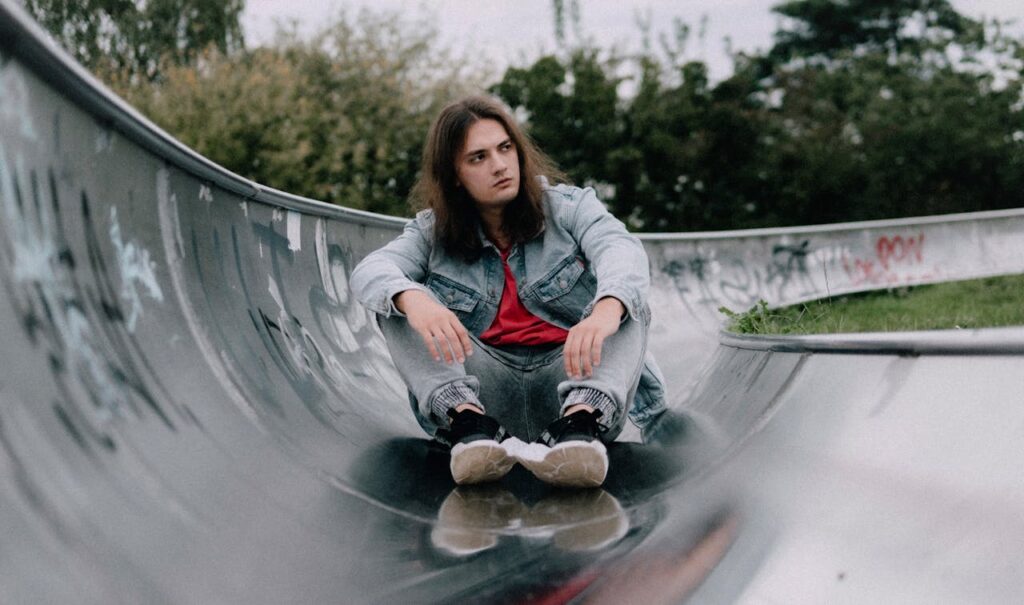
While skin texture is important, don’t forget about other features like the hair, eyes, and lips. Retouching these features can make the subject look more refined. Use your nude photo editing tools to correct small imperfections or enhance certain features for a more dramatic effect. Adding a touch of gloss to the lips or defining the eyes can create a beautiful, striking contrast against the skin tones.
Light and shadow play a crucial role in nude photography, and understanding how to manipulate them in your nude photos is key to creating a natural yet artistic result. Shadows can add depth and dimension, while soft lighting can highlight the body’s natural curves. AI-powered photo editors allow you to adjust these aspects with precision, making the editing process more efficient and seamless.
The beauty of nude photography lies in its natural authenticity. When editing, make sure to preserve the subject’s unique features while refining the overall image. A nude photo editor can help you correct blemishes, fix lighting issues, and balance skin tones, all while ensuring the final image remains true to the subject’s natural form.
To save time and effort, consider using professional-grade AI tools that can automate some of the more tedious aspects of nude photo editing. With tools like Luminar Neo, you can retouch nude photos automatically, correcting skin tones, adjusting lighting, and even removing distractions with minimal effort. This can help streamline your editing workflow, making it more efficient and saving you valuable time.
Luminar Neo is a cutting-edge AI photo editor that offers a variety of powerful features specifically designed for nude photo editing. Here are a few reasons why it’s an excellent choice for this type of work:
The foundation of any good nude photo edit lies in the basic adjustments and cleanup. Here are some steps to start the process:
When it comes to nude photo editing, it’s essential to maintain ethical considerations. Always respect the subject’s privacy and natural beauty. Avoid creating unrealistic or artificial representations that could mislead viewers. Additionally, ensure that the final image upholds the dignity and integrity of the subject, especially when sharing or uploading images online.
Mastering nude photo editing is about finding the right balance between enhancing the image and preserving the subject’s natural beauty. By understanding how to use AI tools effectively, leveraging professional-grade software like Luminar Neo, and maintaining an ethical approach to the editing process, you can create tasteful, beautiful nude photos that are both artistic and realistic.
Remember, the key to successful nude photo editing is subtlety. By following these tips, you’ll be able to edit nude photos with precision and care, ultimately creating images that highlight the beauty of the human form without over-processing.
