
Donec efficitur, ligula ut lacinia
viverra, lorem lacus.
Donec efficitur, ligula ut lacinia
viverra, lorem lacus.
Most photographers spend their careers chasing light they can see. Infrared photography flips that entirely — you’re working with wavelengths your eyes can’t detect, and the results look nothing like anything a standard camera produces. Foliage turns white. Skies go nearly black. Skin glows. The same scene you’ve photographed a hundred times becomes unrecognizable.
This guide covers everything from how infrared light actually behaves in a camera system to the specific filters, settings, and editing steps that produce compelling IR photos — whether you’re just curious or ready to convert a dedicated camera body.
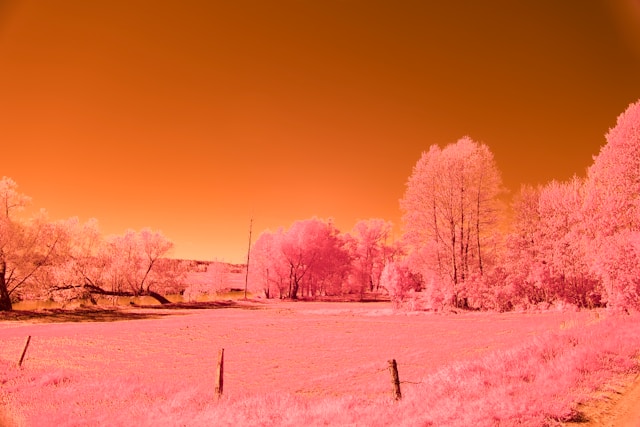
Infrared photography captures light in the 700–1200nm wavelength range — just beyond what the human eye can perceive. Standard digital sensors can actually detect this light, which is why camera manufacturers install an IR-cut filter (also called a hot mirror) in front of the sensor. That filter blocks most infrared wavelengths to keep your daytime photos looking natural. Remove or bypass it, and suddenly the sensor sees the world very differently.
Different materials reflect and absorb IR light in ways that don’t match their visible-light behavior at all. Green leaves are packed with chlorophyll, which strongly reflects near-infrared wavelengths — so in an infrared image, healthy vegetation appears white or very light. A clear blue sky, on the other hand, scatters very little IR light, so it renders almost black. Water and stone absorb infrared heavily and appear dark too.
The practical result: an infrared image has contrast in completely unexpected places. A landscape that looks flat and ordinary in visible light can become graphic and surreal in infrared — because the tonal relationships are reversed from what you’d expect.
Visible light spans roughly 380–700nm. Infrared begins where visible ends. The near-infrared range used in most IR photography sits between 700nm and 900nm. Beyond that, in the 900–1200nm range, you’re dealing with wavelengths that require either deep camera conversion or specialized sensors — that’s territory for scientific imaging, not typical landscape or portrait work.
One important physical difference: infrared light focuses at a slightly different focal plane than visible light. Older manual lenses often had a red dot or line on the focus ring specifically for this — an infrared focus mark. Modern autofocus lenses don’t, which is why focus shift is a real challenge in infrared photography that you need to account for, especially at wide apertures.
The honest answer: because it forces you to stop relying on familiar tonality. You can’t predict what an infrared image will look like from what you see with your eyes. That forces more intentional composition — you have to think about which elements will go bright, which will go dark, and how that redistribution of tones will read in the final frame.
Beyond the creative challenge, infrared produces a specific visual quality that’s genuinely hard to replicate in post-processing. The “infrared look” — blown-out foliage, near-black skies, a certain glow around edges — happens because of how actual IR wavelengths interact with the scene. Simulating it with a Lightroom preset gets you maybe 60% there. Shooting it for real gets you something that looks like nothing else.
Landscape photographers have used infrared for decades precisely because it solves a common problem: midday light. Harsh overhead sun destroys shadow detail and flattens scenes in normal photography. In infrared, that same bright light makes foliage glow and creates strong sky-to-ground contrast. The “worst” time to shoot is often the best for IR.
This is where infrared excels. Trees, grass, and crops turn white or silver. Dark dramatic skies create strong contrast against bright foreground vegetation. Rivers and lakes go nearly black, which can either simplify a composition or, used carefully, add a graphic weight to the frame. The most compelling infrared landscape photos tend to include both foliage and open sky — that contrast is what gives the image its impact.
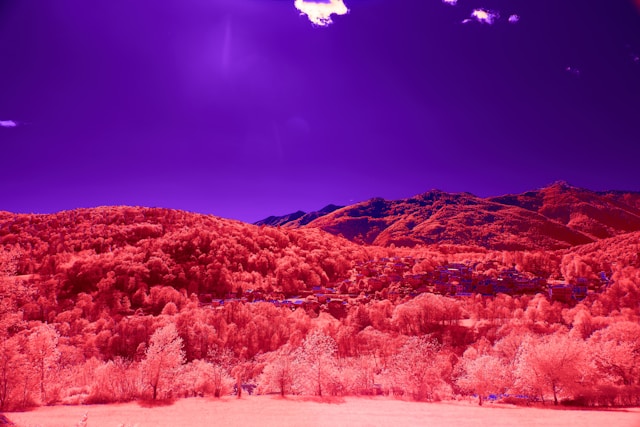
False color infrared — where you swap the red and blue channels and adjust white balance — produces images with golden foliage and cyan or magenta skies. It looks like nothing that exists in nature, which is exactly why it works for fine art. Portraits in infrared have their own specific quality: skin becomes luminous, veins sometimes become faintly visible, and eyes take on an unusual intensity due to how the iris reflects IR differently than the sclera.
Wildlife in infrared is underused and underrated. Animal fur reflects infrared differently than human skin — some coats go unexpectedly bright, others stay dark. The challenge is that wildlife photography typically needs fast shutter speeds, and infrared with an unconverted camera requires long exposures. This is one strong argument for full camera conversion if wildlife IR is your goal.
Infrared imaging is used in dermatology to image veins and subsurface structures, in art conservation to see underdrawings beneath paint layers, and in forensic document examination to reveal alterations invisible in normal light. These applications use much of the same physics — different materials’ varying IR reflectance — but with controlled lighting and calibrated sensors rather than creative intent.
IR film photography predates digital by decades. Kodak High Speed Infrared and Ilford SFX were the standard films. IR film is orthochromatic — it doesn’t respond to all visible wavelengths evenly — and requires careful handling in total darkness to avoid fogging. The results have a distinct grain and halation that digital IR can’t fully reproduce. In 2025–2026, IR film is still available (Rollei Infrared 400, Ilford SFX 200) but requires finding a lab that handles it correctly, since standard C-41 or B&W chemistry both work depending on the film, but processing errors ruin it.
The most accessible entry point. You attach an infrared filter — most commonly a 720nm or 850nm filter — to the front of your lens. The filter blocks visible light and lets infrared through. The catch: your camera’s IR-cut filter is still in place, so very little IR actually reaches the sensor. Exposure times of 30 seconds to several minutes are common in daylight. That means a tripod is mandatory, and any moving subject (leaves in wind, water) will blur. It’s slow, frustrating work — but it costs almost nothing to try if you already own a DSLR or mirrorless camera.
This is the standard approach for serious infrared photography. A specialist removes the camera’s IR-cut filter and replaces it with an infrared-transmitting filter — typically 590nm, 665nm, 720nm, or 850nm. The camera then shoots infrared natively, at normal exposure times and usable ISOs. Autofocus works. Handheld shooting works. The tradeoff: that camera body is now dedicated to infrared — it can’t shoot normal color images anymore. Conversion costs typically run $200–$400 USD depending on the body and the service provider, as of 2026.
A full-spectrum conversion removes the IR-cut filter entirely and replaces it with clear optical glass. The camera can now see both visible and infrared light. To shoot in infrared, you add an IR filter to the lens. To shoot normal color, you add a UV/IR cut filter. This gives you flexibility — one converted body, two very different shooting capabilities. The downsides: you’re adding a filter to the lens for every shot type, and color accuracy in “normal” mode requires a careful custom white balance with the UV/IR filter in place.
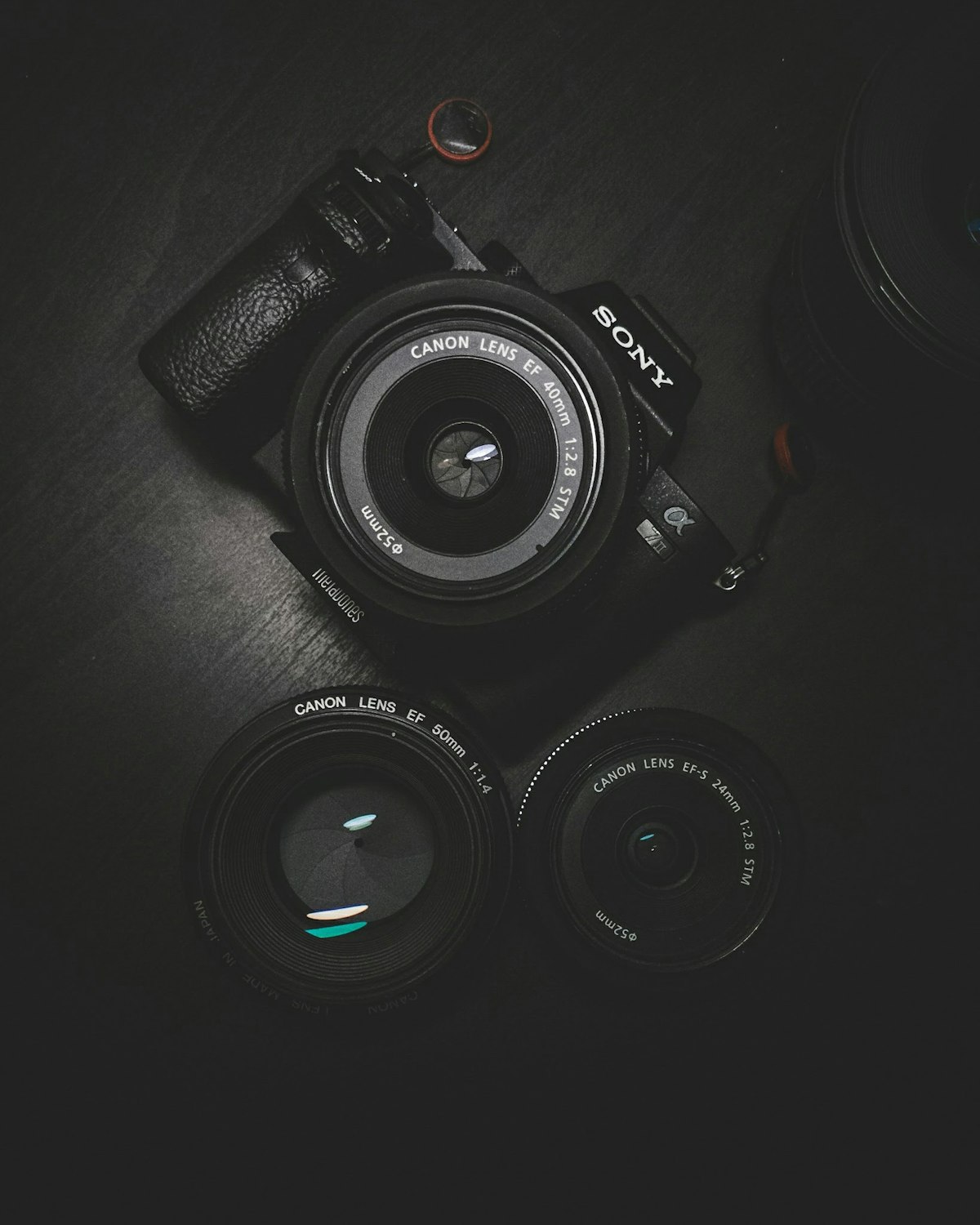
The filter’s cutoff wavelength — the point at which it starts transmitting IR and blocking visible light — determines the look of your infrared images more than almost any other single factor. Here’s how each one behaves in practice:
The “color infrared” option. At 590nm, the filter still allows some visible red and orange through along with infrared. Foliage goes golden rather than pure white. Skies take on cyan or blue tones. White balance adjustments produce vivid false-color images — golden trees against magenta skies. Exposure times with an unconverted camera are very long; with a converted body, results are immediate. Best for: creative landscape, fine art, anyone who wants maximum color flexibility in post.
A middle ground. Slightly more infrared than visible light reaches the sensor compared to 590nm, so foliage goes lighter — somewhere between golden and white — and skies darken further. You still get workable false color, but the tonal palette shifts. Many photographers find 665nm gives the most flexible RAW files: enough color differentiation for interesting false-color processing, but enough infrared for strong black-and-white conversions too.
The most common choice for general infrared photography. The classic infrared look — very bright foliage, near-black skies — comes from 720nm. RAW files have a strong red cast that you remove in post with white balance adjustment and channel swapping. Black-and-white conversions from 720nm are high-contrast and dramatic. False color is possible but more limited than with 590nm or 665nm.
Deep infrared. Only infrared wavelengths above 850nm pass through — essentially no visible light at all. Images are monochromatic by nature; there’s almost no color information to work with. The result is extreme contrast: foliage goes nearly pure white, skies go black, and there’s a certain clinical cleanness to the tones. Used heavily in scientific applications and by photographers who want the most graphic, high-contrast possible black-and-white infrared images.
Not really an infrared filter — this is the replacement for the IR-cut filter in a full-spectrum camera conversion. As a UV/IR cut filter placed on the lens for normal color shooting, it restores the camera’s response to something close to standard. Without it, every photo has a strong magenta/infrared cast.
Three questions narrow it down fast:
Hot spots are bright circular patches in the center of the frame — a lens-design artifact that only appears in infrared. They happen because certain optical elements inside the lens have coatings that reflect IR back toward the sensor rather than transmitting it cleanly. Wide apertures make them worse; stopping down to f/8 or f/11 often eliminates or reduces them significantly. The problem is lens-specific: some lenses are IR-clean, others produce hot spots regardless of aperture. Before committing to a conversion or a glass filter investment, test your lenses.
Camera sensors are sensitive to both ultraviolet and infrared light, and both can reduce image sharpness and color accuracy. In visible-light shooting, both are blocked by the camera’s filter stack. In infrared shooting, you’re intentionally letting IR through — but UV can still cause problems, particularly with haze and loss of microcontrast. Some photographers add a UV-blocking filter over their IR filter to address this. It’s a minor issue for most shooting conditions but matters if you’re photographing in high-UV environments (high altitude, beach) or need the cleanest possible files.
Infrared light focuses slightly behind visible light in most lenses. On a converted camera with autofocus, this manifests as images that appear soft even when AF confirms focus. The solution varies by camera system: some bodies allow AF fine-tune adjustments that can compensate for IR focus shift. Others require you to use live view (which focuses on the actual captured image rather than through the viewfinder optics) to confirm focus. At f/8 and smaller, depth of field is usually sufficient to cover the shift. At f/2.8 or wider, it becomes a real problem.
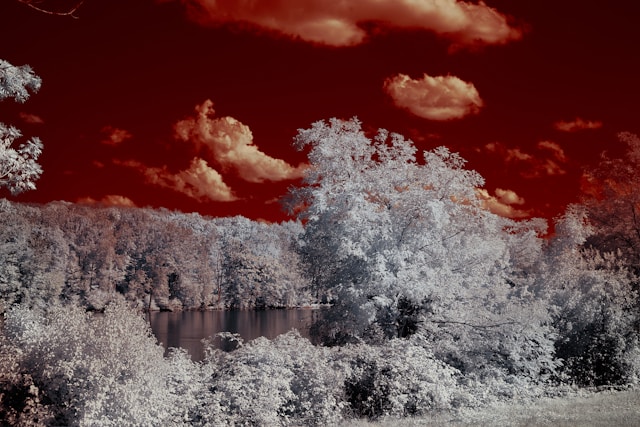
RAW files from an infrared-converted camera look, initially, like a disaster — heavily red-shifted with almost no detail visible in the image. That’s normal. The first step is setting a custom white balance in your RAW processor. If you shot a custom white balance in-camera (pointing at green grass or white paper under the same light), use that. If not, most RAW processors let you manually adjust; aim for a neutral gray in an area of foliage. Once white balance is corrected, the image reveals its actual tonal information.
After white balance correction, 720nm infrared images still typically have a warm red cast. The classic fix is the channel mixer in Photoshop: swap the red and blue channels. This turns the reddish foliage white and shifts the sky toward blue or cyan. The exact swap is done in the Channel Mixer: set the Red output channel to 0% Red and 100% Blue, then set the Blue output channel to 100% Red and 0% Blue. Green stays as-is. After swapping, fine-tune hue/saturation to taste.
Two distinct directions from the same RAW file:
On a converted camera, shoot RAW — always. JPEG infrared output is hard to correct after the fact because the camera’s in-body processing makes white balance decisions you can’t fully undo. Set a custom white balance in-camera if possible (aim your lens at grass in similar light, lock that balance). Start at ISO 200 and a mid-range aperture like f/8 — this covers focus shift and eliminates most hot spots simultaneously. Shutter speed will land in the 1/250–1/1000s range in good daylight on a converted camera, which is fully hand-holdable.
Bright sun and blue sky is the ideal condition for most infrared photography. Infrared thrives on contrast — that requires both bright IR-reflective subjects (foliage in sun) and dark IR-absorbing elements (sky, water). Overcast days flatten infrared images just like they flatten normal landscape photos, and often more so, because the foliage-sky tonal separation disappears. Midday sun, which is problematic for visible-light landscape photography, works surprisingly well for infrared precisely because it’s bright and directional.
Compositional rules don’t change in infrared — but tonal expectations do. Because foliage and sky swap their typical tonal roles, elements that normally recede into backgrounds can come forward. A row of trees in the background suddenly becomes the brightest thing in the frame. Think about where the bright areas will be before you shoot, not just afterward. Leading lines work particularly well in IR because paths, roads, and rivers stay dark and contrast sharply against bright surrounding vegetation.
Once you have the basics down, a few directions are worth exploring:
Infrared photography rewards patience. The technical barriers — filter exposures, focus shift, RAW processing complexity — aren’t really barriers once you’ve worked through them once or twice. What remains is a shooting discipline that genuinely changes how you see light, which is ultimately the point.
