
Donec efficitur, ligula ut lacinia
viverra, lorem lacus.
Donec efficitur, ligula ut lacinia
viverra, lorem lacus.
The first time you nail a Milky Way shot, it’s genuinely disorienting. You’ve driven an hour from the city, stood in a field at 1 AM, pointed a camera at what looks to your eyes like a faint smudge — and the 20-second exposure renders a band of stars so dense it looks like smoke. The gap between what the eye sees and what the camera captures at f/2.8, ISO 3200 is large enough that it surprises people who’ve been shooting for years.
Getting there requires the right settings, the right location, and some basic planning. None of it is complicated. This guide covers all of it, including a settings cheat sheet you can screenshot before you leave.
These are the constraints you can’t override with better gear. A Sony a7S III won’t save you from a full moon or a Bortle 8 light dome.
The Milky Way season in the Northern Hemisphere runs roughly March through October. The galactic core — the bright, dense section of the Milky Way you actually want in the frame — is only visible during this window. In winter, the core sits below the horizon. May through September is the practical shooting season, with July offering the core at its highest arc across the southern sky. By October, it’s setting early enough that your shooting window after twilight is short.
In Western North Carolina specifically, May and early June are underrated. The core rises before 11 PM, temperatures are still manageable at elevation, and the summer humidity that builds through July hasn’t fully set in yet. For anyone within driving distance of the Blue Ridge — Asheville, Brevard, Waynesville — you’re better positioned for dark sky access than most of the eastern US.
Moon phase is the other calendar variable. A full moon is brighter than most city-level light pollution from the sky’s perspective — it drowns the Milky Way entirely. Shoot within 5–7 days of the new moon. A thin crescent sets early in the evening and leaves you with a fully dark sky by 10 PM. Anything more than a half moon and you’re dealing with significant sky glow that washes contrast from the galactic core.
The Bortle scale rates sky darkness from 1 (pristine remote site, Milky Way casts shadows) to 9 (inner city, a few hundred stars visible). The galactic core becomes genuinely photogenic at Bortle 4 or below. At Bortle 5–6, you’ll capture it, but it will be faint and require significant processing to look like anything.
Finding dark sky: lightpollutionmap.info uses current satellite data and shows Bortle zones as a color overlay. Green is Bortle 4, blue is Bortle 3, grey and black are the good stuff. For night-by-night cloud cover forecasts that matter to astronomers (not just rain probability), Clear Outside is the go-to app. For planning exactly where the core will rise, how high it gets, and at what time — PhotoPills does all of this with an augmented reality overlay you can point at the horizon.
In Western North Carolina, the standout locations within 1–2 hours of Asheville:
All of these benefit from checking conditions the day before on Clear Outside. The mountains create their own weather, and a forecast that looks clear from Asheville can mean a cloud deck sitting at 5,000 feet.
The lens is the most important hardware decision. Astrophotography is fundamentally a low-light problem: the brighter and wider you can gather light, the shorter the exposure you need before stars trail. The practical threshold is f/2.8, and the practical focal length range is 14–24mm for a full frame sensor (10–16mm for APS-C).
Budget recommendation: the Rokinon/Samyang 14mm f/2.8 runs $250–300 new and is the standard entry point for a reason. It’s manual focus only — which is fine, because you’ll be focusing manually anyway — and the optics produce usable results across most of the frame. At the other end, the Sigma 14-24mm f/2.8 DG DN (Sony/Nikon Z mount) is $1,300 and substantially better in corner sharpness and coma (the comet-like star distortion that cheaper lenses produce at fast apertures). The Rokinon gets you into the hobby; the Sigma is worth it if you shoot this regularly.
The tripod needs to hold a camera and heavy lens absolutely still for 20–30 second exposures on uneven terrain in the dark. Carbon fiber is lighter for hiking to a site; aluminum is cheaper and heavy enough to stay stable in wind if you hang your camera bag from the center column. The minimum load rating for a mirrorless with a 14mm f/2.8 should be around 8–10 lbs, because you want headroom, not a tripod operating at its limit.
A star tracker changes what’s possible. Without one, the maximum shutter speed before stars trail is roughly 500 divided by your focal length — on a 20mm lens, that’s about 25 seconds. A star tracker (iOptron SkyGuider Pro or Sky-Watcher Star Adventurer, both around $400) rotates to match Earth’s rotation and lets you expose for 60–180 seconds at lower ISOs. That means dramatically less noise and more detail in the core. It also means a two-setup workflow: tracker shot for the sky, static shot for the foreground, merged in post. Optional until you’re serious about this — but the image quality difference is significant.
Intervalometer: most mirrorless cameras have one built in now. If yours doesn’t, $10–15 on Amazon handles it. For star trails or time-lapses, you’ll need it. For single Milky Way frames, the 2-second self-timer on the camera works.
Pack a red flashlight. Red light preserves night-adapted vision in a way that a white flashlight destroys immediately. Headlamp with a red mode works fine.

Work through these in order, not all at once.
1. Manual mode (M). Everything in astrophotography is manual. Your camera’s meter can’t evaluate a scene this dark accurately. Auto ISO will push to 25600 and introduce noise you can’t recover.
2. Aperture: as wide as the lens allows. For most dedicated astro lenses, that’s f/2.8. Some photographers stop down one click to f/3.2 or f/3.5 to improve edge sharpness — comatic aberrations are worst at full aperture. Worth testing on your specific lens. For your first shoot, go to f/2.8 and leave it.
3. Shutter speed: calculate before you shoot. The 500 rule is the quick estimate: divide 500 by your focal length to get maximum shutter speed in seconds before stars trail. At 20mm, that’s 25 seconds; at 14mm, it’s 35 seconds. On a crop sensor (APS-C), use the 300 rule instead, or multiply your focal length by 1.5 first. The NPF rule is more accurate and factors in your camera’s pixel pitch, but it requires a calculator app — PhotoPills has it built in. For most starting shooters, the 500 rule gets you close enough.
4. ISO: start at 3200. Modern full-frame sensors handle ISO 3200 well. Sony a7 series, Nikon Z series, Canon R series — all produce usable files at 3200 with manageable noise after editing. On an older or smaller sensor, 1600 may be a better starting point. Push to 6400 only if the sky is too dark at 3200 and your shutter speed is already maxed by the 500 rule.
5. White balance: set manually. Auto white balance will render star color inaccurately and shift between exposures. For a warm, slightly amber Milky Way look that most images favor: 3800–4200K. For a more neutral, cooler rendition that shows star color more accurately: 5000K. Both are legitimate stylistic choices — make it once and leave it consistent across the shoot.
6. RAW format. Not negotiable. A Milky Way JPEG has made decisions about noise reduction, sharpening, and tone curve that you cannot reverse. The Milky Way core requires aggressive shadow lifting and targeted noise reduction in post — that workflow destroys JPEGs and handles RAW files cleanly.
7. Image stabilization: off. On a tripod, lens IS or body IBIS can actually introduce micro-movement during a long exposure because it’s looking for movement to compensate and sometimes creates it. Turn it off.
| Scene | Aperture | ISO | Shutter | WB |
| Milky Way — no tracker | f/2.8 | 3200 | 500 ÷ focal length | 3800–4200K |
| Milky Way — with tracker | f/2.8 | 800–1600 | 60–120 sec | 3800–4200K |
| Star trails (single long) | f/4 | 400–800 | 10–30 min | 4200K |
| Star trails (stacked frames) | f/2.8 | 1600 | 30 sec × 100+ | 4200K |
| Aurora borealis | f/2.8 | 1600–3200 | 5–15 sec | 5000K |
| Moonlit landscape + stars | f/5.6 | 400 | 30–60 sec | 5500K |
Note: crop sensor cameras (APS-C) — use 300 rule instead of 500, and reduce ISO one step from the table values as smaller sensors generate more noise per ISO increment.
This is where most first attempts fail. Autofocus doesn’t work in a dark field. The camera hunts, locks on nothing, and produces a shot where the stars are blobs.
Manual focus via live view is the correct method:
A note about “infinity” focus on manual lenses: the lens barrel’s ∞ marking is frequently not the actual sharpest infinity point for stars. Some lenses focus slightly past marked infinity; others fall short. Find the actual point empirically in live view rather than trusting the marking. Once you find it, mark the barrel with a piece of tape so you can return to it without going through the live view process again.
Image stabilization being on during the live view focusing step while searching for a star is fine — turn it off before the actual exposure.
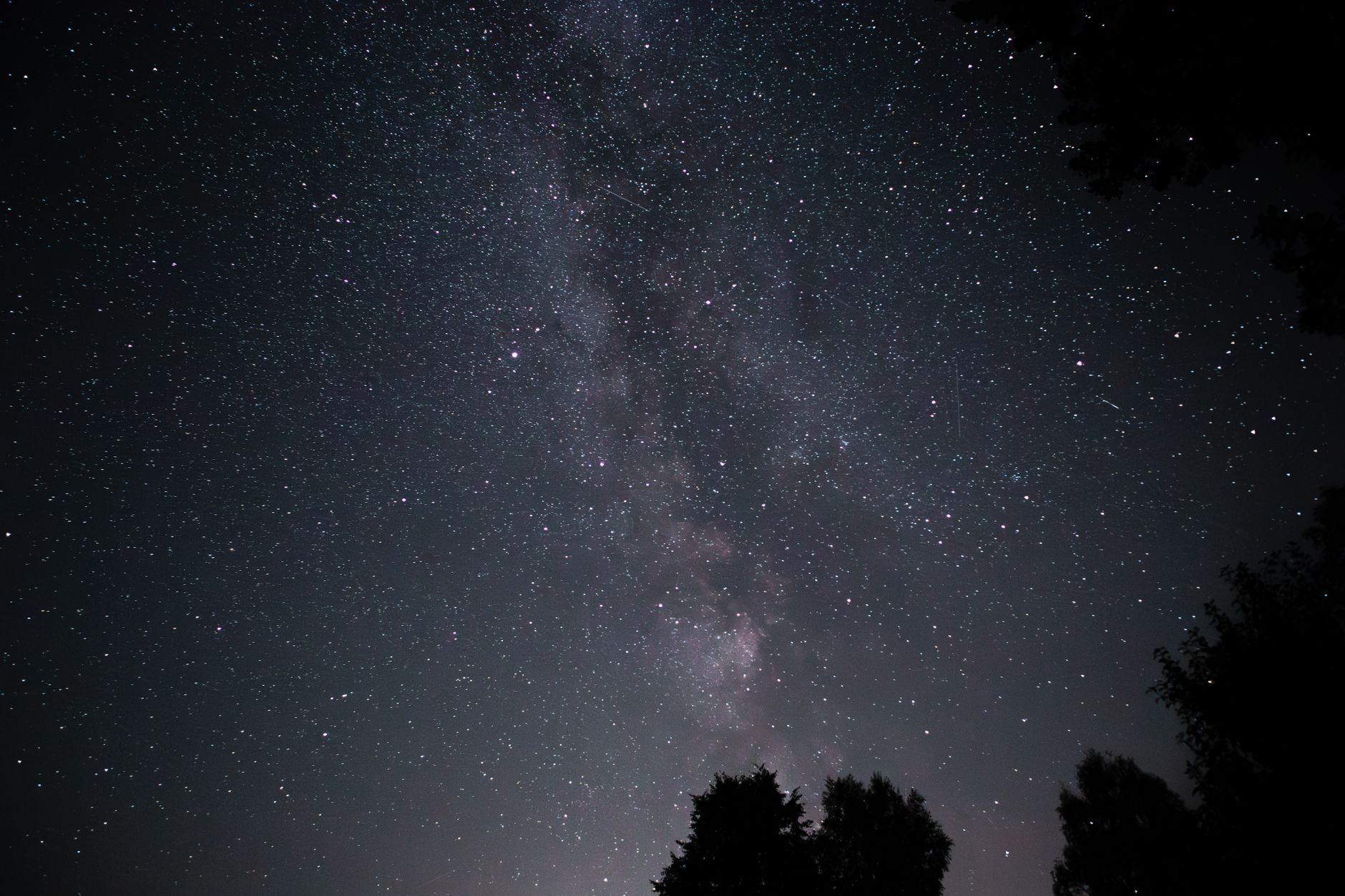
A field of stars without a foreground anchor is an impressive technical exercise. With a foreground element — a mountain ridge, a lone tree, a person with a flashlight, a barn — it becomes a photograph.
The Milky Way rises in the southeast and arcs overhead toward the southwest during summer months in the Northern Hemisphere. You’re essentially choosing where to stand relative to that arc. Do you want the core rising out of a tree line? Reflected in a lake? Framed by a rock formation? The composition is decided before you set up the tripod, not after.
For light painting a foreground: a second exposure during the same session, with a flashlight or headlamp sweeping the foreground at lower ISO (800) and wider aperture than the sky shot, merged in post. This is “time blending” — sky layer from the long ISO 3200 exposure, ground layer from the brighter foreground exposure. The foreground in photography guide covers the compositional rationale for why a strong foreground transforms any wide landscape image, and those principles apply directly here.
One practical consideration for elevation sites like Black Balsam: at 6,200 feet, the treeline is well below you and the sky-to-horizon ratio in the frame is large. That’s an advantage for capturing the full arc of the Milky Way but means you need to work harder to get foreground interest — the open grassy bald itself, a cairn, a person silhouetted against the core. Bring a subject if you’re going alone.
For the wider approach to how foreground, horizon, and sky balance in landscape night photography, the landscape photography guide addresses the compositional framework that holds across genres.
The single-frame edit in Lightroom follows a sequence:
Image stacking is the technique that separates amateur Milky Way images from serious ones. Instead of one 25-second frame at ISO 3200, you shoot 10–20 identical frames and average them together. Averaging multiple frames statistically reduces random noise while preserving consistent signal (the actual stars). The result is cleaner shadow regions and better separation between the core and sky background.
Two free tools: Sequator (Windows, simpler, handles slight star movement between frames) and Starry Landscape Stacker (Mac, $20, does the same). Neither requires learning astrophotography-specific software. The workflow: take 10+ frames without moving the camera (or use the same tracker position), import into the stacking tool, export a stacked image, bring that back into Lightroom for color work. The long exposure workflow that produces the raw material is covered in the long exposure photography guide — the on-set discipline of not bumping the tripod and maintaining consistent exposure settings matters just as much for stacking as for single-frame star trails.
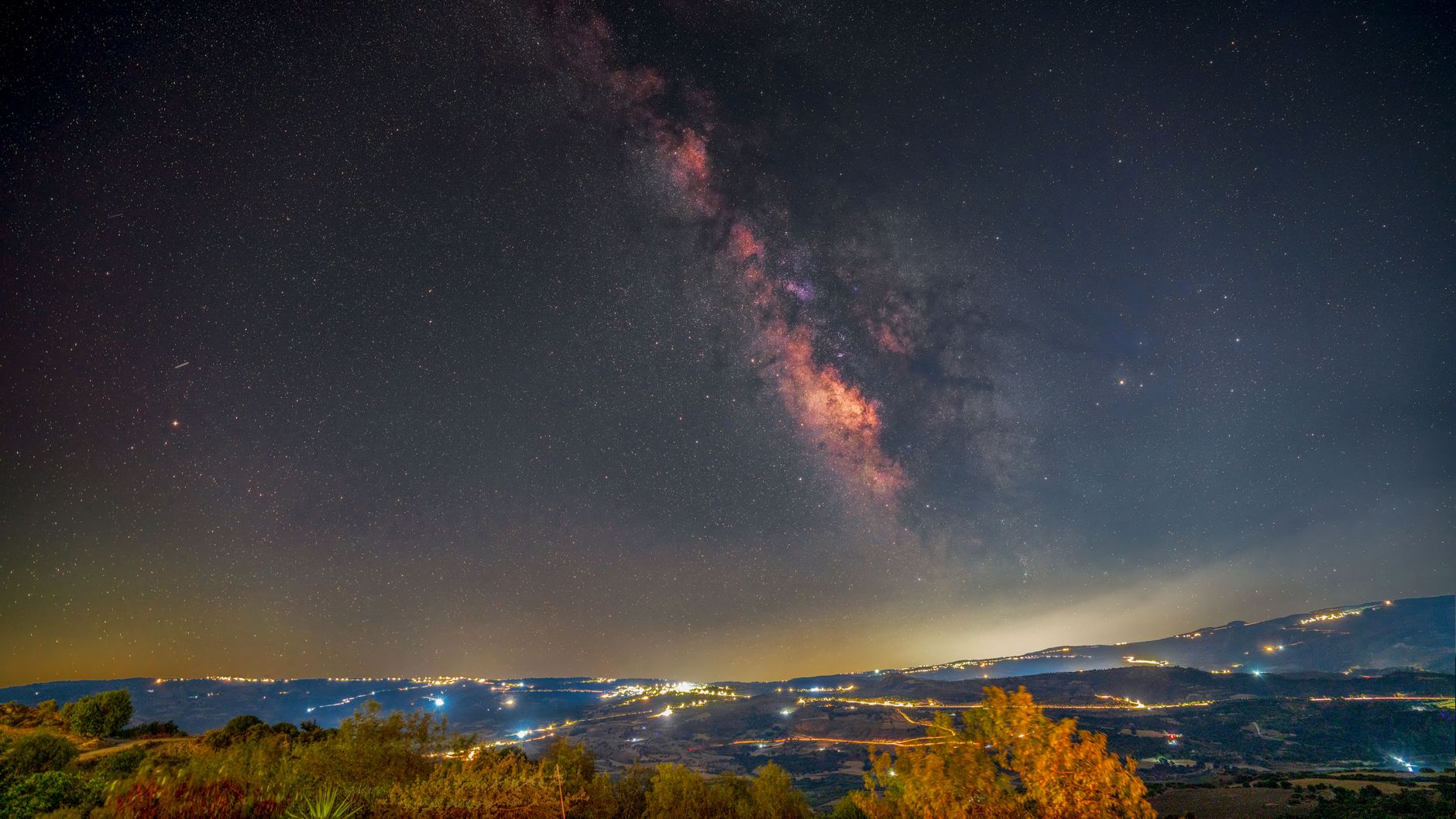
Aurora. Western North Carolina occasionally sees the northern lights during periods of elevated geomagnetic activity — G3 and above (KP index 7+). During solar maximum cycles (the current peak runs through 2025–2026), G2 events (KP 6) have produced visible aurora as far south as Georgia. Settings are similar to the Milky Way table above, but shutter speeds are shorter — 5–15 seconds rather than 25 — because aurora moves. A slow shutter at ISO 3200 and f/2.8 for 10 seconds usually captures the structure without blurring the bands into a featureless smear. Monitor SpaceWeather.com and the NOAA Space Weather Prediction Center’s 3-day forecast (swpc.noaa.gov) — alerts go out 1–3 hours before major displays reach your latitude.
Star trails. The rotation of the Earth turns stars into arcs over a long exposure. Point toward Polaris (the North Star) and the trails form perfect concentric circles. Point away from north and trails become diagonal sweeps. Two approaches: a single very long exposure (10–30 minutes at f/4–f/5.6, ISO 200–400) or hundreds of 30-second frames at normal astro settings, stacked with StarStaX (free) set to “lighten” blend mode. The stacked approach is more practical — you can review progress as the shoot goes on and stop when the trail length looks right.
Meteor showers. No special settings beyond the standard Milky Way setup. Point roughly toward the radiant (the constellation the shower appears to originate from), set your interval timer to fire continuously, and run it for 2–4 hours. Most good meteors are chance events — the goal is volume of exposures, not a perfect single frame. Bring a camping chair.
What settings do I use for the Milky Way?
f/2.8, ISO 3200, shutter = 500 ÷ focal length (use 300 for crop sensor). Manual white balance at 4000K. RAW format. See the table above for scene-specific variations.
What’s the best time of year for Milky Way photography?
May through September in the Northern Hemisphere. The core is highest in the sky in July, rising due south around 10–11 PM. In WNC, May and June offer a useful combination of earlier core rise times and cleaner air than high summer.
Do I need a star tracker?
No, not to start. You can produce strong images without one using the 500 rule and ISO 3200. A tracker dramatically improves technical quality by enabling longer exposures at lower ISO, but the learning curve and cost (about $400) are worth taking on once you understand what you’re trying to improve, not before.
Can I shoot the Milky Way on a phone?
Modern flagships — iPhone 15 Pro and later, Pixel 9 series — have astrophotography modes that produce surprisingly capable results. On a tripod with a 30-second Night Mode exposure, they capture the core in Bortle 3–4 conditions. The results aren’t comparable to a full-frame camera at f/2.8, but they’re legitimate images, not just pale smudges. Good enough to scout a location or get started before committing to dedicated camera gear.
How do I find dark sky near Asheville?
Black Balsam Knob, Sam Knob, and the high balds along the Blue Ridge Parkway are the top accessible options within 45–60 minutes. Check lightpollutionmap.info for Bortle zones and Clear Outside for cloud cover forecasts. The parking areas on the BRP near milepost 420 are accessible by passenger car and give you a trailhead for the short hikes to the open balds.
